
Key Takeaways
- The Fire TV Stick 4K Select, the 2026 Fire TV Stick HD and the new Fire TV Stick 4K (announced 30 September 2026) all run Vega OS, Amazon’s Linux-based system.
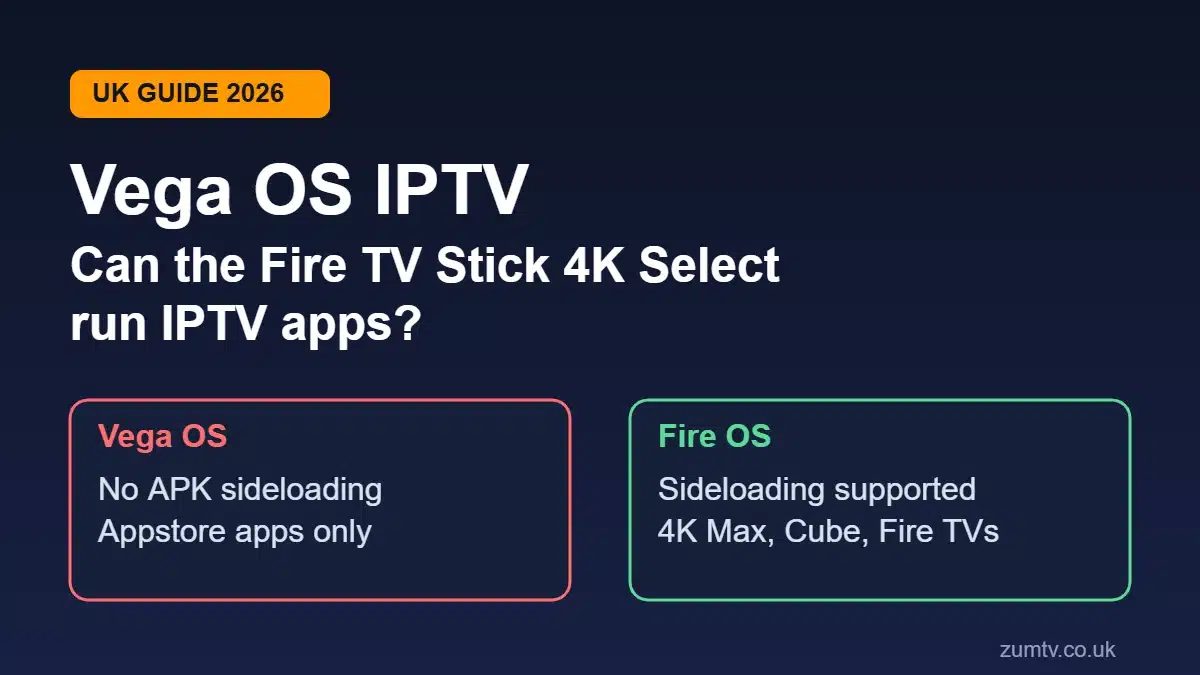
- Vega OS cannot install Android APK files, so the usual Downloader method for IPTV player apps won’t work on these sticks.
- For Vega OS IPTV, you can only install apps listed in the Amazon Appstore, which has roughly 3,000 apps compared with around 40,000 on Android-based Fire OS.
- The Fire TV Stick 4K Max, the Fire TV Cube and TVs with Fire TV built in still run Fire OS and still support sideloading.
- Check your device in Settings > My Fire TV > About. If it shows a Fire OS version number, you’re on Android. If it doesn’t, you’re on Vega.
- If you already own a Vega stick, you don’t need to bin it. A smart TV app, an Android TV box or a Fire OS model will run your IPTV player instead.
Vega OS IPTV is the question landing in support inboxes across the UK right now, and the reason is simple. Amazon has quietly changed what a Firestick is. For years, any Firestick could install an IPTV player in about five minutes. That stopped being true in October 2025, when the Fire TV Stick 4K Select arrived running a brand-new operating system.
Then it spread. A Vega-based Fire TV Stick HD followed in spring 2026. And on 30 September 2026, Amazon launched a refreshed Fire TV Stick 4K on Vega too, while dropping the Android-based 4K Plus from the range.
Bought a new Firestick recently? Then Vega OS IPTV support is your problem too. Here’s what changed, how to check your stick, and which devices still work with an IPTV subscription.
What Is Vega OS and Why Did Amazon Switch?
Vega OS is Amazon’s own operating system for Fire TV, built on Linux instead of Android. Every Firestick before the 4K Select ran Fire OS, which is a modified version of Android. That Android base is what let you install apps from outside the Amazon Appstore.
Vega removes it. Apps for Vega are built with a different framework, and the system has no Android compatibility layer. An APK file simply has nothing to run on.
Amazon’s public line is about speed and lighter hardware. UK outlets such as Cordbusters have also linked the move to Amazon’s long-running push against piracy apps. Either way, the practical effect is the same: the Appstore is now the only way onto a Vega stick.
Amazon’s developer site is blunt: starting with the 4K Select, all future Fire TV Sticks will run on Vega.
Which Firesticks Run Vega OS in the UK?
Most of the confusion around Vega OS IPTV sits here. Amazon sells Vega and Fire OS sticks side by side, with near-identical names.
| Device | Operating System | Sideloading APKs | Status (Oct 2026) |
|---|---|---|---|
| Fire TV Stick 4K Select (2025) | Vega OS | No | Being discontinued |
| Fire TV Stick HD (2026) | Vega OS | No | On sale |
| Fire TV Stick 4K (2026) | Vega OS | No | New, launched 30 Sept 2026 |
| Fire TV Stick 4K Plus | Fire OS | Yes | Being discontinued |
| Fire TV Stick 4K Max | Fire OS | Yes | On sale |
| Fire TV Cube (3rd gen) | Fire OS | Yes | On sale |
| TVs with Fire TV built in (e.g. Hisense, TCL) | Fire OS | Yes | On sale |
| Older Firesticks (pre-October 2025) | Fire OS | Yes | Second-hand only |
The new 2026 Fire TV Stick 4K is being heavily discounted, at £32.99 against a £69.99 RRP until 13 October 2026. It handles 4K at 60fps with HDR10, HDR10+ and HLG, plus Wi-Fi 6. What it doesn’t have is Dolby Vision, which the 4K Max still offers. And it can’t sideload. A cheap price on a stick that can’t run your player app is no bargain.
Can You Install IPTV Apps on Vega OS?
Only if the app is in the Amazon Appstore. That is the whole Vega OS IPTV rule in one line. You can’t sideload anything on Vega OS. There’s no “Install unknown apps” toggle, no Developer Options menu in the usual place, and no way to open an APK from Downloader.
That rules out the method most UK setup guides still describe, our own classic Firestick walkthrough included. Those steps assume Fire OS. On Vega, you get stuck at step one.
What’s Actually in the Vega Appstore?
The big UK names are covered. BBC iPlayer, ITVX, Channel 4, Channel 5, Netflix, Disney+, NOW, Prime Video, YouTube and Paramount+ all have Vega apps. If your viewing is mostly free-to-air and mainstream subscriptions, a Vega stick does the job.
IPTV players are where Vega OS IPTV gets tricky. Popular Android players like TiviMate are Android-only and cannot run on Vega at all. A small number of player apps that accept M3U playlists or Xtream Codes logins have started appearing in the Vega Appstore, but listings come and go, and availability can differ between regions. Search the Appstore on your own device before you assume anything, because a guide written last month may already be out of date.
Vega OS IPTV Workarounds: Should You Try Them?
No. Forum threads describe Vega OS IPTV workarounds using developer mode, but they’re complicated and don’t restore normal APK installs. If an IPTV service tells you its “special method” gets around Vega, treat it as a red flag about the service, not a feature. Our guide to whether IPTV is legal in the UK covers the warning signs worth knowing.
How to Check Whether Your Firestick Runs Vega OS or Fire OS
It takes under a minute, and it is the first step in any Vega OS IPTV troubleshooting.
- Press the Home button on your remote and open Settings.
- Select My Fire TV (on some models this is labelled Device & Software).
- Select About.
- Look at the Software Version line.
If you see something like “Fire OS 7” or “Fire OS 8”, your stick runs Android-based Fire OS and can install IPTV player apps the traditional way. If there’s no Fire OS version listed, or Vega is named, you’re on Vega.
Check the listing before you buy, too. Retailer pages and second-hand sellers rarely mention the operating system. One quirk: there is more than one Fire TV Stick HD on the market, and the older Wi-Fi 5 edition still runs Fire OS. The name alone won’t tell you.
Already Bought a Vega Stick? Your Options
Don’t rush to return it. A Vega stick is still a decent box for iPlayer, ITVX and Netflix. For Vega OS IPTV, you have four realistic routes.
Check the Appstore first. If a compatible player is listed for your region, install it and add your subscription details. Many viewers stop here.
Use your smart TV instead. Most Samsung, LG, Hisense and TCL sets sold in the last few years can run an IPTV player directly. Our smart TV IPTV setup guide walks through it. Keep the Vega stick for the mainstream apps on the same TV.
Switch to an Android TV or Google TV device. A Google TV Streamer, Nvidia Shield or any Android TV box will run the full range of Android IPTV players, and Google hasn’t announced any plan to stop that.
Return or swap within your window. Amazon’s standard returns policy usually gives you 30 days. If you bought a Vega stick specifically for IPTV, swapping it for a 4K Max or Fire TV Cube is the cleanest fix.
Which Device Should You Buy for IPTV Now?
If you’re buying today and Vega OS IPTV limits worry you, choose by operating system first and price second.
| What You Want | Best Fit | Why |
|---|---|---|
| Familiar Firestick experience with IPTV | Fire TV Stick 4K Max | Last stick in the range still on Fire OS, Wi-Fi 6E, sideloading supported |
| A main living-room box | Fire TV Cube (3rd gen) | Fire OS, Ethernet port built in, faster processor |
| Widest choice of IPTV players | Android TV / Google TV device | Full Android app support, no Vega restrictions |
| Mainstream apps only, lowest cost | Fire TV Stick 4K (2026) | Fast and cheap, but no sideloading and no Dolby Vision |
One honest caveat. Amazon has said future sticks will be Vega, so don’t expect a Fire OS successor to the 4K Max. For a device that still runs your player in three years, an Android TV box or smart TV app is the safer bet for Vega OS IPTV planning. Our comparison of IPTV on smart TV vs Firestick vs MAG box goes deeper on the trade-offs, and the list of UK devices that support IPTV covers more models.
Streams stuttering on a new box? Our guide to fixing IPTV buffering on UK broadband covers the usual causes.
What This Means for ZumTV Subscribers
ZumTV works with the standard player apps used on Fire OS, Android TV, smart TVs and mobile. The service hasn’t changed. Which Firesticks can run those apps has, and that is the real Vega OS IPTV shift.
If you’re on a Fire OS stick, nothing is different. Follow our Firestick IPTV setup guide for the UK as usual.
If you’re on Vega OS, IPTV access depends on what the Appstore offers for your region on the day you check. If nothing suitable is listed, run ZumTV on your smart TV, phone, tablet or an Android TV device instead. Plans that cover multiple screens make that easy, since you’re not tied to a single box.
Not sure what you’ve got? Our support team can check with you before you subscribe.
FAQs
Can the Fire TV Stick 4K Select install IPTV apps?
Only apps listed in the Amazon Appstore. The Fire TV Stick 4K Select runs Vega OS, which can’t install Android APK files, so the usual Downloader method doesn’t work.
Does the new 2026 Fire TV Stick 4K support sideloading?
No. The Fire TV Stick 4K launched on 30 September 2026 runs Vega OS and does not support sideloading. It also drops Dolby Vision.
Which Firestick still supports sideloading in 2026?
The Fire TV Stick 4K Max, the Fire TV Cube and TVs with Fire TV built in still run Fire OS and still support sideloading. The Fire TV Stick 4K Plus also does, but Amazon is discontinuing it.
How do I know if my Firestick runs Vega OS?
Go to Settings, then My Fire TV, then About, and check the Software Version. A Fire OS 7 or Fire OS 8 number means Android-based Fire OS. No Fire OS version means Vega OS.
Will Amazon update my older Firestick to Vega OS?
Amazon hasn’t announced any plan to switch existing Fire OS devices to Vega OS. Its stated plan covers new Fire TV Sticks, starting with the 4K Select.
Is Vega OS IPTV support likely to improve?
Possibly, if more developers publish Vega versions of their player apps. But Vega OS IPTV support depends entirely on what Amazon approves for its Appstore, and sideloading isn’t expected to return.
Pick the Right Box, Then Test It
Vega OS isn’t a bad system. It’s a locked one. For mainstream UK apps it’s quick and cheap, but Vega OS IPTV viewers who watch through a player app now play by different rules. Check your Software Version, buy by operating system rather than price, and keep a smart TV or Android TV device in mind as your fallback.
Ready to see how ZumTV runs on your own TV? Start your ZumTV free trial and test it on the device you already have.
One Response