
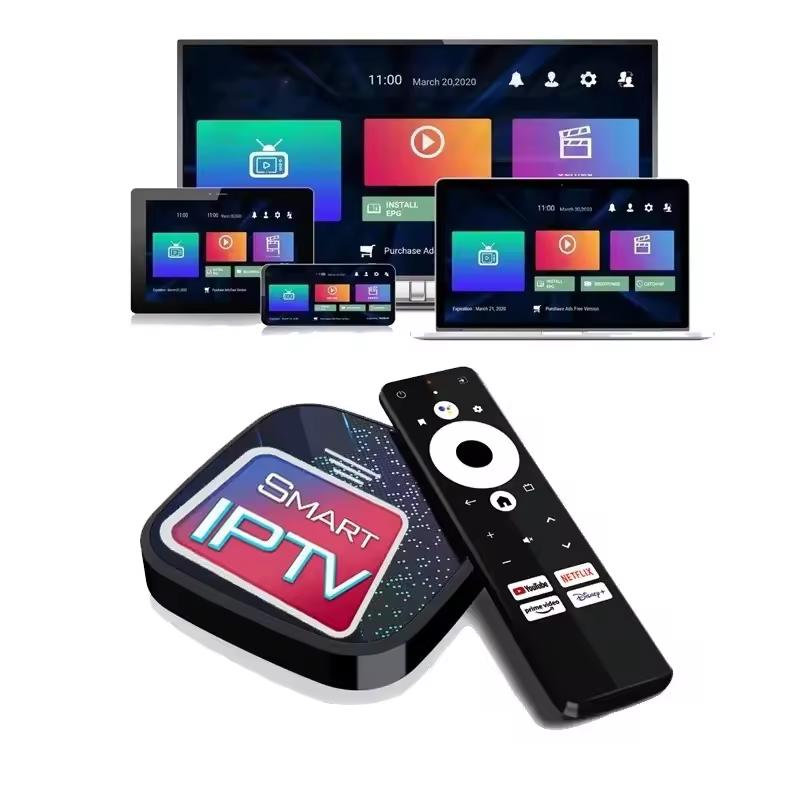
IPTV Devices UK That Supports IPTV
Key Takeaways
- Fire TV Stick remains the most widely used IPTV device UK households buy, mainly because it is cheap, portable, and works with almost every player app.
- Samsung and LG Smart TVs can run IPTV apps natively, but app store restrictions mean many households still add a streaming stick or box for full flexibility.
- Apple TV supports IPTV through dedicated tvOS apps rather than sideloading, so the setup path looks different from Android-based devices.
- Android TV boxes and NVIDIA Shield give the most processing headroom for 4K IPTV, which matters for sports and high-bitrate channels.
- MAG boxes are older dedicated IPTV hardware still used by some UK households, though they need portal configuration rather than a simple app download.
- Parental controls on IPTV setups come from the player app, not the streaming service itself, so the choice of app (TiviMate, IPTV Smarters Pro) matters as much as the device.
- Free-to-air services like BBC iPlayer and ITVX remain available on nearly every device listed here and are worth keeping alongside any IPTV setup.
What Devices Support IPTV Services in the UK?
Buffering on a Friday night, that’s usually what sends people looking for a new device. Not the app itself. The hardware underneath it.
IPTV devices UK viewers rely on span a wide range, from a £30 streaming stick plugged into an old TV to a dedicated Android box running four tuners at once. What connects them all is one thing: they run a player app that reads a channel list and turns it into something watchable on screen. The device doesn’t broadcast anything. It’s the delivery layer, and getting that layer wrong is why so many setups feel sluggish even when the internet connection is fine.
This guide walks through every device category UK households actually use for IPTV, what each one is good at, where it falls short, and which player app tends to work best on it. ZumTV operates as a companion access layer that works across these devices rather than tying customers to one piece of hardware, so understanding your options here applies whether you’re setting up for the first time or replacing an old box.
Fire TV Stick and Fire TV Cube
Ask ten IPTV users in the UK what they’re running, and at least six will say Firestick. There’s a reason for that. It’s inexpensive, it plugs into any HDMI port, and Amazon’s App Store carries IPTV Smarters Pro and TiviMate without needing to sideload anything.
The base Fire TV Stick handles standard definition and HD channels comfortably. Where it struggles is 4K sports, particularly during a full Premier League Saturday when multiple households on the same network are all pulling high-bitrate streams. For that, the Fire TV Stick 4K Max is the meaningful upgrade. More RAM, a faster processor, and noticeably fewer freezes during peak hours.
The Fire TV Cube goes a step further with a built-in speaker and hands-free Alexa, though most IPTV users don’t need that for channel switching. Unless voice control matters to your household, the 4K Max covers the same ground for less money.
Setup note: Install IPTV Smarters Pro or TiviMate directly from the Amazon App Store. No sideloading is required for either app.
Android TV Boxes and NVIDIA Shield
If Firestick is the entry point, Android TV boxes are where people land once they want more control. Full access to Google Play, more storage for multiple player apps, and enough processing power to run 4K without the stutter that sometimes shows up on budget sticks.
NVIDIA Shield sits at the top of this category. It’s not cheap, but the hardware handles simultaneous 4K streams and demanding EPG (electronic programme guide) refreshes better than almost anything else on this list. For a household running IPTV across several rooms or juggling multiple provider accounts, that headroom is worth the price difference.
Cheaper generic Android TV boxes exist too, and some perform well. The catch is inconsistent firmware updates. A box that streams smoothly out of the box can develop buffering issues six months later if the manufacturer stops pushing updates. NVIDIA Shield and named-brand boxes from Xiaomi or Google tend to age better.
Samsung and LG Smart TVs
Smart TVs are the device people already own, which is why “can I just use my TV” is one of the most common questions in IPTV setup. The answer is usually yes, with caveats.
Samsung Tizen TVs run Smart IPTV (SIPTV), a dedicated app built specifically for Tizen’s operating system. LG’s webOS platform has its own equivalent in SS IPTV, which is free and generally reliable. Both apps take an M3U playlist URL rather than login credentials the way TiviMate does, so the setup flow feels a little different if you’re used to Android-based players.
The limitation is app store restriction. Samsung and LG both curate what’s available, so you won’t find TiviMate or IPTV Smarters Pro directly on the TV. If your provider’s app isn’t listed in the native store, you’re stuck using the M3U workaround or adding external hardware. That’s the main reason households with a Smart TV still buy a Fire TV Stick or Android box anyway, for the wider app selection.
Apple TV
Apple TV plays by different rules. There’s no sideloading path the way Android devices allow, so IPTV on Apple TV depends entirely on what’s published in the tvOS App Store.
GSE Smart IPTV and IPTV Smarters (the standard, non-Pro version compatible with tvOS) are the two most commonly used. Both accept M3U or Xtream Codes login details and support EPG data reasonably well. Performance on Apple TV is generally strong, the hardware isn’t the bottleneck here, but the smaller pool of available apps means less flexibility if one app has a bad update.
Confirm app availability in your regional App Store before committing. Availability shifts occasionally, and an app that’s listed for US accounts isn’t always listed for UK Apple IDs.
Roku
Roku has a smaller UK footprint than in the US, but it’s still in enough households to be worth covering. IPTV support here works through the IPTV Smarters app, which handles most of what UK users need.
The setup itself takes a few minutes: search the Roku Channel Store, install IPTV Smarters, enter your provider’s Xtream Codes or M3U details, and you’re watching. Where Roku falls behind Android TV or Fire TV is app depth. If IPTV Smarters has an off day, there isn’t a strong second option waiting in the wings the way there is on Android.
MAG Boxes
MAG boxes are dedicated IPTV set-top hardware, and they’ve been around long enough that plenty of UK households still have one running. Unlike the app-based devices above, MAG boxes use portal configuration, meaning you enter a portal URL and MAC address rather than downloading a separate player app.
This makes MAG boxes less beginner-friendly. There’s no app store to browse, no easy troubleshooting through familiar menus. But for households already invested in this hardware, or providers who supply MAG-based access, the devices remain functional and stable once configured correctly.
If you’re starting from scratch in 2026, a MAG box isn’t the device most people should buy new. Android, Fire TV, and Apple TV now offer a far wider spread of apps than MAG hardware ever supported, and finding new stock has become harder as the format ages out of production.
Mobile and Desktop: iOS, Android, Windows, macOS
IPTV isn’t limited to the living room. iPhone and iPad users can run GSE Smart IPTV or IPTV Smarters through the iOS App Store, and the experience is close to identical to Apple TV, same apps, same login flow. Android phones and tablets have more choice, with TiviMate and IPTV Smarters Pro both available through the Play Store.
On desktop, VLC remains the simplest way to test an M3U playlist on Windows or macOS without installing anything specialised. For regular viewing, IPTV Smarters Web or a dedicated desktop client gives a more TV-like interface with EPG support built in.
Mobile and desktop access matters most for households that want to keep watching while moving between rooms, or for checking a stream is working before committing to a full TV setup.
Player Apps: Why the App Matters as Much as the Device
Two households can own the exact same Fire TV Stick and have completely different experiences, because the device is only half the equation. The player app you install decides how the EPG looks, how fast channels load, and whether parental controls even exist.
TiviMate has become the default choice on Android and Fire TV for a reason. The interface mimics a real broadcast guide, channel switching is fast, and the multi-screen layout makes it easy to check several channels at once during a sports weekend. The free version covers most needs; the paid tier adds catch-up TV integration and a cleaner EPG.
IPTV Smarters Pro is the closer rival, and it’s the one app that shows up across nearly every device type, Android, Fire TV, iOS, Apple TV, Roku, Windows and macOS. That cross-device consistency is its main strength. If your household splits viewing across a Smart TV in the lounge and an iPad in the kitchen, running Smarters Pro on both keeps the setup identical rather than juggling two different interfaces.
GSE Smart IPTV covers the gap on Apple hardware where TiviMate isn’t available. It’s not as polished as TiviMate, but it handles Xtream Codes and M3U playlists reliably and supports EPG data without much configuration.
None of these apps stream content on their own. They’re a window onto whatever playlist your provider gives you, which is why device compatibility and app compatibility need checking together, not separately, before you commit to hardware.
Bandwidth and Hardware Requirements by Device
Not every device needs the same broadband speed, and assuming they do is a common reason people overspend on a router upgrade that doesn’t actually fix anything.
A single HD stream typically needs somewhere in the 8 to 12 Mbps range to run without buffering, while a 4K stream on a capable device can require 25 Mbps or more depending on the source bitrate. That’s per stream, not per household, so a family running IPTV on a Smart TV and a phone at the same time needs to add those figures together, not just check the TV’s requirement in isolation.
Processing power matters separately from bandwidth. The base Fire TV Stick has enough broadband allowance to pull a 4K stream, but the chip inside it can’t always decode that stream smoothly, which is why upgrading to the 4K Max or an Android TV box solves buffering issues that a faster broadband package never would. If a stream freezes or pixelates only during high-bitrate content like live football, that’s usually a device processing limit, not a connection speed problem, and it’s worth ruling out before calling an ISP or upgrading a broadband plan unnecessarily.
Storage matters less than most people expect. Player apps themselves are small, but running two or three of them side by side, plus caching EPG data, can slow down older or lower-storage devices over time. Clearing app cache periodically helps more than most people realise on budget Android boxes especially.
Which Device Should You Actually Buy?
There’s no single right answer among IPTV devices UK households can choose from, it depends on what you already own and how much control you want.
If you’re starting from nothing and want the simplest path, a Fire TV Stick 4K Max is the safest recommendation. Wide app support, reasonable price, and it plugs into any HDMI-equipped TV regardless of brand or age.
If your household already runs multiple streams simultaneously, an Android TV box or NVIDIA Shield handles that load better than a stick will. And if you’re all-in on Apple hardware already, Apple TV keeps things consistent even though the app selection is narrower.
Smart TV built-in apps are fine for a simple, single-device household, but most people who take IPTV seriously end up adding external hardware within a few months. It’s rarely the wrong move to start there anyway, since you may already own the TV.
Get Set Up With ZumTV
ZumTV works as a companion access layer across Fire TV Stick, Android TV, Apple TV, Samsung and LG Smart TVs, Roku, and MAG boxes, so the device you already own is very likely already supported. Start a trial and confirm compatibility with your specific hardware before committing to a full subscription.
IPTV Devices UK That Supports IPTV & Parental Controls and Family Viewing
One thing worth flagging early: parental controls on an IPTV setup don’t come from the streaming service itself. They come from whichever player app you’re running. TiviMate and IPTV Smarters Pro both include PIN-locking for adult categories and profile separation, so if parental controls matter to your household, that’s a setting to configure inside the app after installation, not something to expect the underlying service to handle automatically.
This is also where multi-device households benefit from picking one player app and sticking with it across devices. Configuring parental settings once in TiviMate on an Android box, then again separately in GSE Smart IPTV on Apple TV, is more setup work than most families want to repeat.
Ready to try it on your own hardware? Compare device compatibility before you commit to a plan.
Fixing Buffering by Device Type
Buffering rarely comes down to one cause, but the fix often depends on which device you’re using. Fire TV Sticks and other Wi-Fi-only sticks are the most exposed to interference, since there’s no Ethernet option without an adapter. Android TV boxes and Smart TVs usually have a wired option, and switching to Ethernet resolves a large share of buffering complaints on those devices specifically. For a full breakdown of causes and fixes across UK broadband setups, see our guide on fixing IPTV buffering on UK broadband.
Free-to-air alternatives like BBC iPlayer and ITVX are worth keeping installed alongside any IPTV setup too, if only as a fallback during a rough network night.
What is the best device for IPTV in the UK?
For most households, a Fire TV Stick 4K Max offers the best balance of price, app support, and performance. It handles 4K sports without the freezing issues that show up on the base model, and it works with the widest range of player apps of any device on this list.
Can I watch IPTV directly on my Smart TV without extra hardware?
Yes, if your Samsung or LG Smart TV runs Tizen or webOS, native apps like SIPTV or SS IPTV let you watch without buying anything extra. The trade-off is a smaller app selection than Android-based devices, since Samsung and LG curate what’s available in their stores.
Does Apple TV support IPTV the same way as Android devices?
Not quite. Apple TV doesn’t support sideloading, so you’re limited to apps published in the tvOS App Store, mainly GSE Smart IPTV and IPTV Smarters. Performance is strong once set up, but the app pool is narrower than what Android TV or Fire TV offers.
Are MAG boxes still worth buying for IPTV in 2026?
Generally, no, not for new setups. MAG boxes use portal-based configuration rather than app downloads, which is less beginner-friendly, and the hardware format is aging out of production. They still work fine if you already own one, but app-based devices have overtaken them for most new UK households.
Do I need a VPN to use IPTV on these devices?
No device on this list requires a VPN to function, and using one to bypass ISP restrictions isn’t something this guide recommends. If your connection is stable and your subscription is legitimate, none of the devices covered here need a VPN to work properly.
Can I use IPTV on more than one device at the same time?
That depends on your subscription’s simultaneous connection limit, not the devices themselves. Most providers offer plans with one, two, or three connections, so check your plan details before assuming you can stream on a Fire TV Stick and a phone at the same time.
Ready to Watch on Your Device?
Whatever hardware is already connected to your TV, from a five-year-old Smart TV to a brand-new Fire TV Stick 4K Max, there’s a setup path across the IPTV devices UK households already own that works. Confirm your device is supported and start a trial with ZumTV today.