
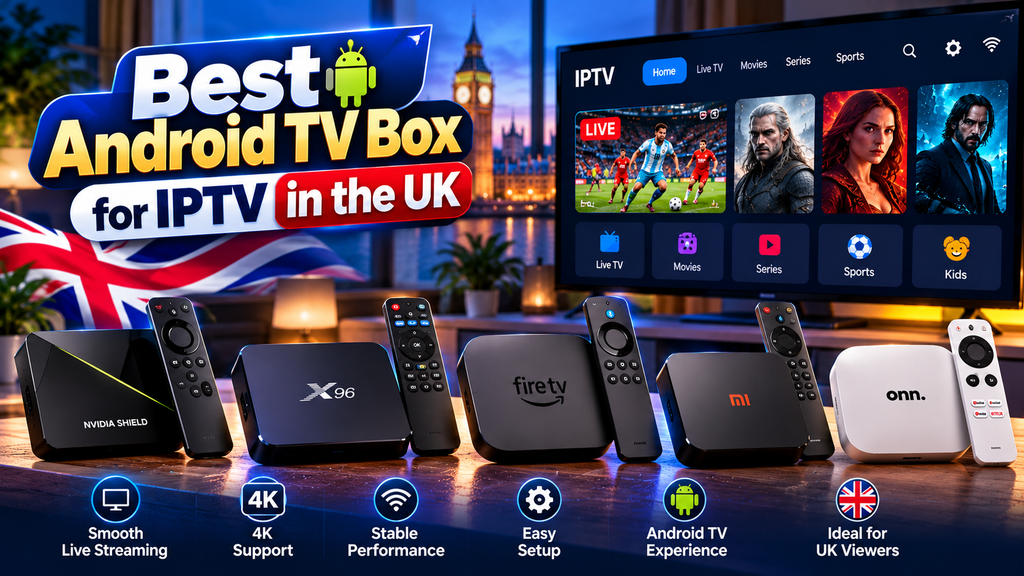
Since Amazon started restricting apps on Fire TV devices, more UK viewers have been asking about an Android TV box for IPTV instead. An Android TV box for IPTV gives you a certified, flexible way to watch live TV channels without relying on a satellite dish or cable contract. It’s a sensible move. Android TV and Google TV devices run the same player apps as a Firestick, including TiviMate, and most install them straight from the Google Play Store.
The problem is that “Android box” covers everything from a well-supported Google TV device to a £30 unbranded box with outdated software. This guide explains what to look for and how to set one up.
Quick answer: Buy a Google-certified Android TV or Google TV device, such as the Google TV Streamer or Nvidia Shield TV, rather than an unbranded “fully loaded” box. Certified devices get security updates and have the Google Play Store, so you can install TiviMate or IPTV Smarters Pro directly. Look for at least 2GB of RAM, Ethernet or Wi-Fi 6, and 4K HDR support if your TV has it. Any Android TV box for IPTV in this guide meets those minimums.
Why an Android TV box instead of a Firestick?
Firesticks are still fine for many people. But there are three reasons Android boxes are getting more attention in the UK:
- Vega OS. The Fire TV Stick 4K Select runs Amazon’s Vega OS, which only allows Amazon Appstore apps. Most IPTV players aren’t there. Our Vega OS guide explains the details.
- App blocking. Amazon now blocks apps that rights holders identify as linked to piracy on UK Fire TV devices, including sideloaded ones.
- Play Store access. On certified Android TV and Google TV devices, TiviMate and other players install from the Play Store, with automatic updates and no sideloading.
Certified vs uncertified Android boxes
This is the most important buying decision, and the one most cheap listings hide.
| Google-certified Android TV / Google TV | Uncertified Android box | |
|---|---|---|
| Google Play Store | Yes, official. | Often missing or unofficial |
| Security updates | Yes, for a supported period. | Rare or none |
| Interface | Proper TV interface built for a remote | Often a phone interface on a TV |
| Netflix, Prime Video in HD/4K | Usually supported | Often limited to SD, or missing |
| Typical price | £60 to £200 | £25 to £60 |
| Risk | Low | Pre-installed adware or malware has been found on some models. |
Security researchers have repeatedly found malware pre-installed on cheap uncertified Android TV boxes sold through big online marketplaces. If a box arrives “fully loaded” with streaming apps, that’s a warning sign, not a feature.
To check certification, look for “Android TV” or “Google TV” branding from a known manufacturer, and check that the Google Play Store opens and signs in normally.
What to look for in an Android TV box for IPTV
| Spec | Minimum | Better |
|---|---|---|
| RAM | 2GB | 3GB or more |
| Storage | 8GB | 16GB or more (needed for TiviMate recordings) |
| Network | 5GHz Wi-Fi | Ethernet port, or Wi-Fi 6 |
| Video output | 1080p | 4K with HDR10 / Dolby Vision |
| Video codec | H.264 | HEVC (H.265) hardware decoding for 4K streams |
| Android version | Android TV 11 | Android TV 12 or later, still getting updates |
| Remote | IR or Bluetooth | Bluetooth with voice, plus a programmable TV button |
RAM and the network port matter most for IPTV. Large TV guides use memory, and an Ethernet cable fixes more buffering than any setting.
Android TV and Google TV devices worth considering
We haven’t lab-tested these devices, so this is a buying shortlist based on published specifications and how each is supported, not a test ranking. Prices change often, so check current UK retail prices.
| Device | Why it suits IPTV | Things to know |
|---|---|---|
| Google TV Streamer | Google’s own device, Ethernet port built in, Play Store, long update support | More expensive than a stick. See our Google TV Streamer guide. |
| Nvidia Shield TV / Shield TV Pro | Fast processor, Ethernet, excellent with TiviMate, AI upscaling | Older design, premium price. The Pro model has more RAM and USB ports. |
| TV with Google TV built in (Sony, TCL, Hisense, and Philips models) | No extra box needed. | Speed varies a lot by TV model and age. |
| Xiaomi TV Box S | Lower cost, certified Google TV, and Play Store access | Wi-Fi is only on most versions, so check for a model with Ethernet or add an adapter. |
Choosing the right Android TV box: three options that work
The comparison table above gives you the specs side by side, but here’s what each device actually means for IPTV use day to day. Choosing the right Android TV box for IPTV comes down to three things: certification, RAM, and network connectivity.
Google TV Streamer (2024)
Google’s own device sits at the sensible end of the market. It runs Google TV on top of Android TV, has an Ethernet port on the back, and supports 4K HDR10+ and Dolby Vision. TiviMate installs from the Play Store with no sideloading involved. At around £89, it’s the default recommendation for most people setting up IPTV for the first time in the UK. The remote handles voice search, though TiviMate doesn’t pull through to Google’s TV guide, which is fine.
Nvidia Shield TV Pro
The Shield Pro is the only box here with a dedicated GPU, and it shows. It handles 4K HDR with AI upscaling, ships with 3GB of RAM, and has a proper Ethernet port built in. If you’re running IPTV alongside Plex or a home media server, the Shield justifies its £199-£229 price. For IPTV alone it’s more than you need, but it will still be relevant in five years when cheaper boxes have gone unsupported. The main reason to consider it now is longevity. See Nvidia Shield specs for the full detail.
Mecool KM2 Plus
The Mecool KM2 Plus is Google-certified, which means Play Store access and Google security updates. It’s roughly half the price of the Google TV Streamer and supports 4K with a proper Ethernet port included. The interface is standard Android TV rather than Google TV, so it’s less polished, but it runs TiviMate and IPTV Smarters Pro reliably. If budget is the constraint, this is the best certified option to choose over any unbranded “fully loaded” alternative. The certification is what matters, not the brand name on the box.
One note on Amazon: the third-generation Fire TV Cube still supports TiviMate through the Amazon Appstore as of 2025, but Amazon’s track record of blocking IPTV apps makes that a shaky long-term bet. For stability, stick with Google-certified devices.
How to set up IPTV on an Android TV box
- Connect it with Ethernet if your router is within reach. If not, use 5GHz Wi-Fi.
- Sign in with a Google account during setup, and let the box install any system updates.
- Open the Google Play Store and install your player app. TiviMate is the most popular on Android TV. IPTV Smarters Pro is the simplest for beginners.
- Open the player and choose Xtream Codes login. Enter the server URL (including the port), username and password from your provider. Not sure which login you have? Read Xtream Codes vs M3U.
- Let the channels and guide load. The first load takes a minute or two.
- Turn on auto frame rate if your app and box support it so sports and films play smoothly.
Full app walkthroughs: the TiviMate setup guide and the IPTV Smarters Pro setup. For a complete walkthrough specific to your Android TV box for IPTV setup, check the player’s own documentation.
Settings that help on Android TV
- Display resolution: set the box to your TV’s native resolution under Settings > Display & Sound. Don’t leave it on “auto” if the picture flickers between modes.
- Match content frame rate: on Google TV, Settings > Display & Sound > Advanced display settings. Set it to “Seamless only” or “Always” and test which looks better.
- Turn off background apps: uninstall apps you don’t use. Fewer background processes mean more memory for the IPTV player.
- Developer options: on low-memory boxes, setting the background process limit can help, but only change it if you’re comfortable undoing it.
Fixing common IPTV problems on Android TV
Most IPTV issues on an Android TV box for IPTV come down to three things: your internet connection, the box’s available RAM, or the IPTV provider’s server load. Working through them in that order saves time.
Buffering and freezing
Start with the network. If you’re on Wi-Fi, switch to 5 GHz or plug in via Ethernet. If you’re already wired and still buffering, check whether other devices on the same network are downloading or streaming something heavy. Inside TiviMate, go to Settings > Player and try a different external player like VLC or MX Player, which sometimes handles streams better than the internal one. If the buffering is consistent across multiple channels at the same time, it’s the provider’s server, not your Android TV box for IPTV.
EPG is not loading or showing wrong data.
Go to your player settings, clear the EPG cache, and force a manual refresh. If you’re pulling EPG data from a URL your provider gave you, check it’s still active by pasting it into a browser. ZumTV customers can reach support for a working EPG link if the default one has changed.
App crashes on startup
Clear the app cache first: Settings > Apps > [player name] > Clear Cache. If that doesn’t fix it, check for an update in the Play Store and reinstall if there’s nothing newer. A fresh reinstall fixes most persistent crash issues on Android TV.
Box running slowly
RAM is the bottleneck on cheaper Android TV boxes. Close any background apps you’re not using, and disable animated screensavers or live wallpapers in the launcher settings. Boxes with only 1GB of RAM will struggle with large IPTV channel lists. If this is a recurring problem, it’s worth upgrading to a device with at least 2GB.
Android box vs. Firestick vs. Smart TV app
| Android TV box | Firestick (Fire OS) | Smart TV app | |
|---|---|---|---|
| TiviMate | Yes, from the Play Store. | Yes, sideloaded. | No |
| App updates | Automatic | Manual for sideloaded apps | Automatic, but limited choice |
| Ethernet | Often built in | Needs an adapter | Usually built in |
| Affected by Amazon changes | No | Yes. | No |
| Cost | £60 to £200 for a good one | £25 to £70 | £0 |
Our wider comparison of Smart TV vs Firestick vs MAG box covers the full range.
Legal and safety notes
Android TV boxes and IPTV player apps are legal to buy and use. Boxes sold “fully loaded” with apps that stream unlicensed content are not, and selling them has led to prosecutions in the UK. The legal question for any IPTV service is whether it holds the rights to what it streams. Read our guide to IPTV and UK law, and remember you need a TV Licence, £180 a year from April 2026, to watch live TV.
Getting the most from your Android TV box for IPTV
Once your Android TV box for IPTV is running, a few habits will keep things running cleanly. Keep TiviMate or your chosen player updated through the Play Store, and do the same for the Android TV system software. Providers occasionally update their server details, so if channels stop loading after a period of working fine, check with your provider before assuming the box is at fault.
Group channels into custom playlists inside TiviMate. Most UK IPTV packages carry hundreds of international channels you’ll never need, and building a short playlist of the 30-50 you actually watch makes navigation faster and reduces how much EPG data the app needs to load. ZumTV’s channel list is organised by category, which helps narrow things down from the start.
If you share the IPTV subscription across more than one device in the house, check whether your provider limits simultaneous streams. Running two connections on a single-stream plan causes one to drop, which looks like a technical fault but is actually a subscription issue. Multi-connection plans are usually only a small step up in price and avoid the confusion.
Frequently asked questions
What is the best Android TV box for IPTV in the UK?
A Google-certified device with at least 2GB of RAM and an Ethernet port. The Google TV Streamer and Nvidia Shield TV are popular choices because they get updates and run TiviMate from the Play Store.
Is an Android box better than a Firestick for IPTV?
For many people now, yes. Certified Android TV boxes install IPTV players from the Play Store and aren’t affected by Amazon’s Vega OS or app-blocking changes.
Can I install TiviMate on an Android TV box?
Yes. On certified Android TV and Google TV devices, TiviMate is available in the Google Play Store.
Are cheap Android boxes safe?
Uncertified boxes carry real risks. Some have been found with malware pre-installed, and most stop getting security updates. Stick to known brands with Google certification.
Do I need a VPN on an Android TV box?
It isn’t required to use IPTV. Our VPN for IPTV guide explains when it does and doesn’t make a difference.
Does ZumTV work on Android TV boxes?
Yes, with TiviMate, IPTV Smarters Pro or another Xtream Codes player. Test it on your box with a free trial.
Ready to set it up?
Pick a certified Android TV box for IPTV, plug it in with Ethernet if you can, and install your player from the Play Store. Then start a ZumTV free trial and test it during a busy evening.