
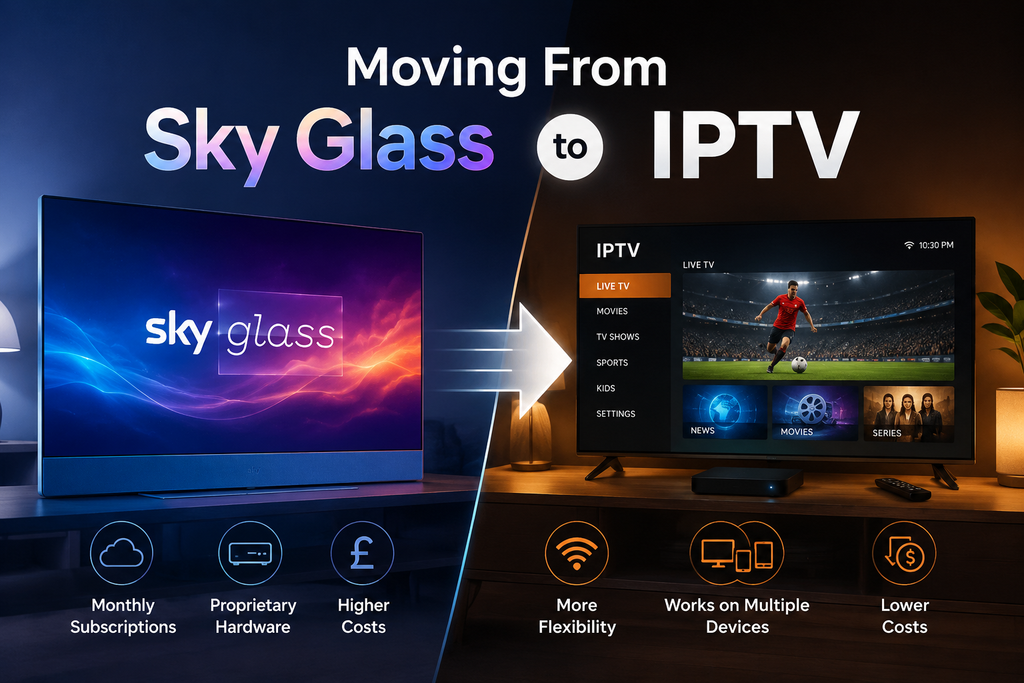
Sky Glass to IPTV Cost in 2026
Key Takeaways
- Sky Glass TVs cost £649, £849 or £1,049 upfront depending on size, or the same amount spread across a 24 or 48-month contract with a small setup fee on top.
- New Sky Glass and Sky Stream customers on the long contract are paying £24 a month for Sky Ultimate TV from April 2026, a £2 rise, with Sky Cinema climbing to £11 a month on the same term.
- Households moving from Sky Glass to IPTV are usually chasing three things: lower monthly cost, no multi-year contract, and freedom from a single branded box tied to one screen.
- IPTV isn’t a replacement for BBC iPlayer, ITVX or All4. Those stay free (aside from the TV licence for live BBC content) and cover a huge chunk of British viewing.
- Fire Stick, Android TV boxes and smart TVs are the main devices households use once they leave Sky hardware behind, usually paired with a player app like IPTV Smarters Pro or TiviMate.
- No IPTV service can promise access to content that’s under exclusive broadcast rights. Sport is where this matters most, and it’s worth checking before you switch, not after.
- Ofcom’s pay-TV data shows traditional multichannel revenue in the UK fell 3.2% to £1.96 billion in 2024, with providers pivoting hard toward broadband-only boxes instead of satellite dishes.
Sky Glass to IPTV isn’t a niche switch anymore. It’s become one of the more common questions UK households ask once their Sky contract nears renewal and the new price lands in their inbox. The TV itself is well reviewed. Sky’s picture quality and voice remote get genuine praise. What’s pushing people to look elsewhere is what sits underneath: the monthly subscription, the contract length, and the sense that you’re locked into one box for one screen for years at a time.
This isn’t a piece telling you Sky Glass is bad. It’s a look at why households are moving away from it in 2026, what the real numbers look like, what IPTV actually is (and isn’t), and how people are making the switch without losing the channels and shows they actually watch.
Why Are UK Households Leaving Sky Glass in 2026?
Cost is the number one driver, and it’s not subtle. Sky confirmed a round of price rises from April 2026 that pushed Sky Ultimate TV to £24 a month for new customers on the long contract, up £2 from the previous rate. Sky Cinema went from £10 to £11 a month on the same term, and from £13 to £14 on the rolling 31-day option. Existing customers typically see the same annual increase applied at their renewal date, so the rise catches up with almost everyone eventually.
Then there’s the hardware itself. A Sky Glass TV isn’t just a smart TV with a subscription bolted on. Buy it outright, and the small model runs £649, the medium £849, and the large £1,049. Spread that over 24 months and you’re paying £26, £34 or £42 a month depending on size, plus a £20 upfront fee. Stretch it to 48 months and the monthly figure drops to £13, £17 or £21, plus a smaller £10 setup charge, but you’re tied in for four years either way.
Add the TV finance to the Ultimate TV subscription, and a household on the 24-month Medium plan is looking at roughly £58 a month before they’ve added Sky Sports, Sky Cinema, or full fibre broadband. That’s before anyone’s watched a single programme.
None of this makes Sky Glass a bad product. What it does is create an obvious gap for anyone who wants live TV, catch-up and box sets without committing four years of payments to a single piece of hardware tied to one Sky account.
What Does Sky Glass to IPTV Cost in 2026?
Here’s the full breakdown, because most comparison pieces only quote the headline monthly figure and skip the setup fees.
| Upfront | 24-month contract | 48-month contract | |
|---|---|---|---|
| Sky Glass Small | £649 | £26/month + £20 upfront | £13/month + £10 upfront |
| Sky Glass Medium | £849 | £34/month + £20 upfront | £17/month + £10 upfront |
| Sky Glass Large | £1,049 | £42/month + £20 upfront | £21/month + £10 upfront |
On top of the hardware, Sky TV itself starts from £15 a month on a 24-month minimum term, or £18 a month on a 30-day rolling contract, with prices able to change during the fixed term. Sky Ultimate TV, which bundles in Netflix, sits at £24 a month for new customers from April 2026. Sky Sports and Sky Cinema are separate add-ons on top of that base.
Put the TV and the subscription together, and even the cheapest combination lands north of £30 a month before sport or movies enter the picture. That’s the number that tends to send people searching for what else is out there.
What Is IPTV and How Is It Different From Sky Glass?
IPTV, short for Internet Protocol Television, delivers channels and on-demand content over your broadband connection instead of a satellite dish or dedicated set-top box. Rather than buying hardware from one company, you install a player app on a device you already own, a Fire Stick, an Android box, or a smart TV, and connect it to a service through that app.
ZumTV works as a companion access layer within that setup. It isn’t a broadcaster and doesn’t hold exclusive rights to any channel or event. What it does is give you an organised way to access content through a compatible player app, on whatever device suits your household, without the multi-year contract that comes with owning a branded box.
That distinction matters, because it’s easy to assume “IPTV” means one single thing. It doesn’t. Some services are legitimate access layers built around third-party player software. Others make claims they can’t back up, particularly around live sport under exclusive broadcast deals. Anyone comparing options should check what a service is actually promising, not just what the marketing implies.
Is Switching From Sky Glass to IPTV Legal?
Watching IPTV through a legitimate access layer and a licensed player app is not, by itself, illegal in the UK. What crosses the line is accessing content through services that knowingly stream copyrighted broadcasts without any licensing arrangement in place. The safest approach is checking exactly what a provider offers before signing up and being wary of any service promising every premium sports package at a price that looks too low to be real.
It’s also worth remembering that BBC iPlayer, ITVX and All4 remain completely free and legal UK options, minus the TV licence needed for live BBC content. A lot of what British households actually watch, drama, comedy, and homegrown documentaries, sits behind these free services already. Anyone moving away from Sky Glass should factor that in before assuming a paid IPTV setup is doing all the heavy lifting.
What Are UK Households Switching To Instead of Sky Glass?
The pattern is fairly consistent across the households making this move. Most keep the TV they already have, or add a cheap streaming device, rather than buying another all-in-one box. The Fire Stick and Fire TV Cube remain the most common choice because they’re inexpensive and widely supported. Android TV boxes come a close second, particularly for anyone who wants more storage or a faster processor than the entry-level Firestick offers. Newer Smart TVs with built-in apps are catching up fast too, cutting out the extra device entirely.
Once the hardware’s sorted, the household installs a player app such as IPTV Smarters Pro or TiviMate. These apps handle the electronic programme guide, channel organisation and playback, and both include their own parental control settings that sit at the app level rather than being built into any streaming service itself. That’s an important distinction if young kids are using the same TV. Parental restrictions need setting up inside the player app, not assumed as a default.
Alongside the paid setup, most households keep BBC iPlayer, ITVX and All4 running as free apps on the same device. It’s rarely an either-or decision. The paid IPTV layer covers the gaps, sports, international channels, and box sets, while the free British broadcasters continue doing what they’ve always done well.
How Much Can You Save Moving From Sky Glass to IPTV?
The honest answer depends entirely on what a household actually watches, so treat any blanket “save £X a month” claim with some scepticism. What’s fair to say is that dropping the Sky Glass hardware contract alone removes a fixed monthly cost that runs for two or four years regardless of whether you’re happy with the service. Once that’s gone, you’re comparing a flexible, cancel-anytime IPTV subscription against a fixed-term commitment, which is a fundamentally different kind of spending decision.
Households already paying for full fibre broadband have an advantage here, since IPTV quality depends heavily on a stable connection rather than satellite signal strength. Anyone on a slower or less reliable line should check ZumTV’s guide on fixing IPTV buffering on UK broadband (https://zumtv.co.uk/zumtv-co-uk-how-to-fix-iptv-buffering-on-uk-broadband/) before switching, since buffering complaints are almost always a connection issue rather than a service issue.
What About Sports Coverage When You Switch?
This is where households need to slow down before cancelling Sky. TNT Sports and Sky Sports hold exclusive UK broadcast rights to specific competitions, and no IPTV access layer, ZumTV included, can promise coverage of content under an exclusive licensing deal it doesn’t hold. If Formula 1, Premier League football or specific boxing cards are the reason a household keeps Sky in the first place, that needs checking against the actual rights holder before switching anything.
What IPTV does well is filling in everything around that gap: international channels, on-demand catalogues, and general entertainment that isn’t locked behind a single broadcaster’s exclusive deal. For households whose sport-watching is limited to competitions already covered elsewhere, or who are comfortable following just a handful of fixtures rather than an entire season, the calculation looks very different from what it does for someone who wants every live match Sky Sports carries.
Common Problems People Hit When Switching
Buffering is the complaint that comes up most, and it’s almost never the fault of the IPTV service itself. It’s usually the household’s broadband speed, router placement, or Wi-Fi congestion from other devices. A wired Ethernet connection to the streaming device, where that’s possible, solves this more often than any app setting does.
Device compatibility trips people up next. Not every player app runs identically well across Firestick, Android TV, Apple TV, Roku and Smart TV platforms, and older MAG boxes need a slightly different setup process than newer devices. Checking device compatibility before committing to a plan avoids a lot of frustration in week one.
Parental controls catch out households moving from Sky Glass specifically because Sky’s parental PIN system is built into the box itself. IPTV doesn’t work that way. Restrictions need to be set inside whichever player app you’re using; IPTV Smarters Pro and Tivimate both offer this, and it’s a step that’s easy to skip during the excitement of a new setup.
How to Switch From Sky Glass to IPTV: A Step-by-Step Approach
Start by checking your Sky contract end date and any early exit fees. Cancelling mid-contract on Sky Glass hardware financing can trigger a balloon payment for the remaining device cost, so this step alone can change whether switching now makes financial sense.
Next, test your broadband speed. IPTV needs a stable connection more than it needs blistering top-line speed, so a consistent 25 to 30 Mbps connection with low latency will outperform a faster but less stable line.
Choose your device. If you’re keeping the Sky Glass TV itself after cancelling the subscription, check whether it supports third-party apps directly, since not every Sky Glass model allows this without an additional streaming stick plugged in. A Firestick or Android TV box sidesteps that question entirely.
Install a player app, set up your parental controls inside it if children will be using the same screen, and organise your electronic programme guide before your Sky subscription actually lapses. Running both side by side for a week or two, rather than cancelling Sky the same day you set up IPTV, gives you a proper comparison instead of a leap of faith.
Finally, keep BBC iPlayer, ITVX and All4 installed regardless of what else you’re running. They’re free, they’re legal, and they cover a genuine share of what UK households watch that a paid IPTV layer was never going to replace.
Is it cheaper to switch from Sky Glass to IPTV?
It depends on your existing Sky contract and what you actually watch. Removing the Sky Glass hardware financing (£13 to £42 a month depending on model and term) and the Sky TV subscription (from £15 a month) removes a fixed cost, but you should compare that against what you’ll spend on a device and any new subscription before assuming a saving.
Can I keep my Sky Glass TV and just cancel the subscription?
In many cases, yes, though it depends on whether you’ve paid off the hardware or are still mid-contract, and whether your specific Sky Glass model supports installing third-party apps without extra streaming hardware attached.
Do I still need BBC iPlayer if I switch to IPTV?
Yes. IPTV doesn’t replace BBC iPlayer, ITVX or All4. These remain free UK services (aside from the TV licence for live BBC content), and most households running IPTV keep all three installed alongside it.
Will I lose access to Sky Sports or TNT Sports content if I switch?
Possibly, depending on what you watch. Neither Sky Sports nor TNT Sports content is available through an IPTV access layer without the relevant exclusive broadcast rights being held by that provider. Check specific competitions against the actual UK rights holder before cancelling Sky if live sport is a priority.
What device do most people use after leaving Sky Glass?
The Fire Stick and Fire TV Cube are the most common choices, largely down to low cost and wide app support, with Android TV boxes and newer smart TVs close behind.
How do parental controls work on IPTV compared to Sky Glass?
Sky Glass has parental controls built into the box. IPTV relies on the player app instead, with apps like IPTV Smarters Pro and TiviMate offering their own PIN and restriction settings that need setting up separately.
Final Thoughts
Moving from Sky Glass to IPTV in 2026 comes down to a fairly simple trade. You give up a single branded box with built-in controls and a multi-year contract, and in exchange you get flexibility, lower fixed costs, and the ability to run everything through a device you likely already own. What you don’t get is a guarantee of exclusive sports content that sits behind Sky’s or TNT’s own broadcast rights, and you don’t get to skip BBC iPlayer, ITVX or All4, because no paid service replaces what those free services already cover.
For households whose Sky bill has crept past £50 or £60 a month once hardware, Ultimate TV and add-ons are all counted, the switch is genuinely worth weighing up. For anyone whose television habits centre entirely on live Premier League or Sky Sports Formula 1 coverage, it’s worth being honest about that before cancelling anything.