
Internet TV Services UK
Key Takeaways
- Internet TV services UK households use range from free broadcaster apps to paid streaming bundles and companion platforms like ZumTV, all delivered over broadband instead of an aerial or dish.
- HD streaming needs roughly 5 to 8 Mbps per device, and 4K needs 25 Mbps or more. Multiply that by every screen running at once in your home.
- Ofcom’s Media Nations 2025 report found more than 4.2 million UK households have already dropped traditional pay TV, and the government has opened a consultation on switching off terrestrial signals entirely.
- Wi-Fi, not your broadband package, causes most buffering complaints. A wired connection solves the problem for a large share of households.
- FTTC broadband handles internet TV for most single-screen homes. Multi-device, multi-4K households need full fibre to avoid evening slowdowns.
- ZumTV works alongside your existing broadband and free-to-air apps, adding a wider live channel and on-demand library through one interface rather than replacing BBC iPlayer or ITVX.
Aerials are on their way out. The government opened a public consultation in June 2026 on switching off terrestrial TV signals by 2034 or 2044, and the reasoning is simple: most of the country has already moved on. Internet TV services UK households now rely on cover everything from BBC iPlayer to paid IPTV subscriptions, and almost nobody sat down and picked one system on purpose. It just happened, app by app, over a few years.
That drift creates a knowledge gap. People know Netflix streams over broadband. Fewer people know their broadband needs to hit a specific speed before their smart TV stops buffering, or that a £30 fibre package can outperform a £60 cable bundle depending on how many screens are running in the house. This guide fills that gap. It covers what internet TV actually is, what bandwidth it demands, which devices carry it best, and where a platform such as ZumTV fits once the basics are sorted.
What “Internet TV” Actually Means
Internet TV is any television service delivered over your broadband connection rather than through a satellite dish, cable box, or rooftop aerial. That’s the whole definition. It covers a wider net than most people assume.
BBC iPlayer is internet TV. So are ITVX, Channel 4’s streaming app, and My5. So are Netflix, Disney+, and Amazon Prime Video. Sky’s newer products, Sky Stream and Sky Glass, deliver their entire channel line-up over broadband with no dish required. IPTV platforms, which package live channels and on-demand libraries through a single app using Xtream Codes or M3U playlists, sit in the same category. Freely, the newer free platform backed by the BBC, ITV and Channel 4, streams live Freeview-style channels over the internet too.
The common thread is the connection method, not the content or the price. Once you understand that, the fragmented mess of streaming apps on a modern smart TV home screen makes a lot more sense. It’s not ten different technologies. It’s one delivery method with ten different front doors.
Why This Shift Is Happening Now
Three things are pushing internet TV services UK adoption at the same time.
First, broadband got fast enough. Ofcom classes superfast broadband as 30 Mbps or above, and that tier now reaches over 98% of UK premises. A decade ago, streaming HD video reliably was a genuine technical challenge for a lot of households. Today it’s the default.
Second, traditional pay TV got expensive. A Sky bundle with sport and entertainment channels can run £80 to £105 a month before broadband is even factored in. Add Sky Sports as a standalone extra and you’re looking at another £40-odd on top. Households comparing that figure against a broadband-only setup start doing the maths fast.
Third, the government is actively planning the exit ramp. Digital terrestrial TV signals are in decline, and June 2026’s Media Green Paper consultation is explicit about the direction of travel: internet-based platforms like Netflix, Amazon, Freely, YouTube and Disney+ are the stated future, with subsidised broadband and low-cost internet-capable TVs proposed for households on lower incomes who might otherwise be left behind.
None of that means the aerial disappears next year. Switch-off dates under discussion sit in 2034 or 2044. But the direction is set, and understanding internet TV now saves a scramble later.
Bandwidth: The Number That Actually Matters
This is the part most guides skip, and it’s the part that determines whether your evening involves a spinning wheel or a clean picture.
Streaming quality scales directly with available bandwidth, measured in megabits per second (Mbps). Here’s the rough breakdown UK broadband providers and streaming services converge on:
- Standard definition (SD): 2 to 3 Mbps per stream
- HD (1080p): 5 to 8 Mbps per stream
- 4K Ultra HD: 15 to 25 Mbps per stream, sometimes higher depending on the platform
BBC iPlayer’s high-quality programmes need around 5 Mbps, dropping to 1.5 Mbps for standard quality. TNT Sports asks for 3.5 Mbps minimum, climbing to 30 Mbps for its best picture setting. Netflix’s UHD tier wants 15 Mbps as a floor, though most streaming services quietly recommend more headroom than their stated minimum.
Here’s the catch almost every household misses: those figures are per device, per stream, not a household total. A family of four are all watching different things at once: one in 4K, two in HD, and one on a phone. It doesn’t need 25 Mbps. It needs closer to 60 to 80 Mbps once you stack the demand and leave room for everything else quietly running in the background, phones syncing photos, a laptop pulling a software update, a smart speaker checking in.
Broadband Tiers for Internet TV Services in UK Households
| Connection Type | Typical Speed | Realistic Internet TV Use |
|---|---|---|
| ADSL (copper) | 8 to 15 Mbps | One SD or HD stream at a time, no 4K, no multi-device use |
| FTTC (part fibre) | 30 to 80 Mbps | Comfortable single or dual HD streams, one 4K stream with care |
| FTTP (full fibre) | 100 to 500+ Mbps | Multiple simultaneous 4K streams, heavy multi-device households |
A single-person household streaming one show at a time can run comfortably on FTTC. A house full of teenagers with a TV, two tablets, and a games console all pulling data at 8pm needs full fibre, or evening buffering becomes a nightly ritual.
Why Your TV Buffers Even With Fast Broadband
This trips up more people than slow broadband itself. If a speed test on your phone shows 150 Mbps but your Smart TV still stutters, the broadband almost certainly isn’t the problem. Wi-Fi is.
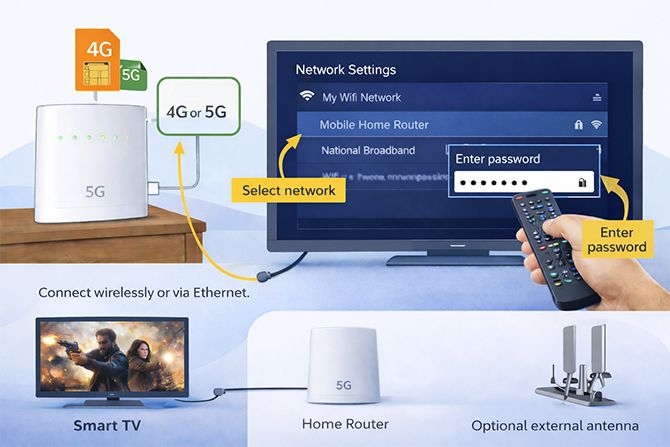
Smart TVs, especially older models, often carry cheap, underpowered Wi-Fi chips. A router capable of broadcasting 150 Mbps might only reach that TV at 15 or 20 Mbps once walls, distance, and interference are factored in. The fix is unglamorous but reliable: run an Ethernet cable from the router to the TV, or fit a powerline adapter if a cable run isn’t practical. Wired connections remove the guesswork entirely.
A few other buffering causes worth ruling out before blaming your ISP:
- Router placement. A router tucked in a cupboard or behind a TV cabinet loses signal strength fast. Central, open placement helps every device in the house, not just the TV.
- Background devices. Downloads, cloud backups, and video calls running elsewhere in the house all eat into the same shared bandwidth pool.
- Peak-time congestion. Every household in your street streams most heavily between 7pm and 10pm. Provider capacity, not just your own connection, can dip during that window.
- Old hardware. A five-year-old router or a Fire Stick from 2019 both struggle with newer streaming bitrates. Sometimes the fix is a hardware refresh, not a faster broadband plan.
Devices: Where Internet TV Actually Lands in the Room
Internet TV needs a screen and something to decode the stream. UK households handle that in a handful of common ways.
Smart TVs run apps natively. Most modern sets from LG, Samsung, Sony, and others come with iPlayer, ITVX, Netflix, and similar apps pre-installed; no extra hardware is required. Older Smart TVs sometimes fall behind on app updates, which is where a streaming stick fills the gap.
Streaming sticks and boxes, like the Fire TV Stick, Chromecast, Apple TV, and Android TV boxes, plug into any TV with an HDMI port and add full internet TV functionality to sets that predate the streaming era entirely. The Fire Stick remains the most widely used device in UK homes for this reason: it’s cheap, simple, and works with almost every service, including IPTV player apps like IPTV Smarters Pro and TiviMate.
Sky Stream and Sky Glass deliver Sky’s full channel bundle over broadband with no satellite dish, effectively making Sky’s own flagship product a form of internet TV.
Game consoles, PlayStation and Xbox alike, run most major streaming apps too, which is useful for households that already own one and don’t want another box under the TV.
Whatever the device, the requirement is the same: a stable broadband connection, ideally wired for anything demanding more than casual SD viewing.
Device age matters more than most people expect. A Fire Stick or Smart TV bought in 2019 or earlier was built around streaming bitrates that look modest by 2026 standards. Processing power that struggled to keep pace with 4K decoding five years ago hasn’t improved with time, and an ageing device can bottleneck a fast connection just as badly as weak Wi-Fi does. If every troubleshooting step checks out, router placement, wired connection, confirmed speed at the socket, and buffering – the streaming device itself is worth ruling out before blaming the broadband provider again.
Free vs Paid Internet TV: What’s Actually on Offer
Free-to-air apps cover a genuine slice of UK viewing on their own. BBC iPlayer and ITVX both require a TV licence for live and catch-up content but carry no subscription fee beyond that. Channel 4 and My5 add further free catch-up libraries. Freely, the newer joint platform from the UK’s public broadcasters, brings live Freeview-style channels to smart TVs over the internet with no dish and no extra cost.
Paid internet TV sits above that. Netflix, Disney+, and Prime Video cover on-demand film and series libraries with no live channels. Sky Stream and Sky Glass replicate a full satellite-style bundle over broadband, sport and all, at traditional Sky pricing. Between those two extremes sit companion streaming platforms like ZumTV, which pull together a broad live channel and on-demand library through one app, running alongside your existing broadband and your free broadcaster apps rather than replacing them.
It’s worth being precise here: ZumTV is a streaming access layer, not a broadcaster and not a rights holder. It doesn’t claim exclusive rights to any channel’s content, and BBC and ITV programming remains freely available through iPlayer and ITVX regardless of what else a household subscribes to. What a service like ZumTV adds is convenience: one interface instead of five separate apps, covering a wider spread of channels than most households would otherwise piece together on their own.
How Much Data Does Internet TV Actually Use
Speed and data are different things, and it’s worth separating them. Speed determines picture quality in the moment. Data is the total amount you pull down over a month, and it matters if your broadband package has a cap, though most modern fibre deals in the UK now come unlimited.
An hour of SD streaming uses roughly 1GB. HD climbs to around 3GB an hour, and 4K can hit 7GB or more depending on the platform’s compression. A household watching three hours of HD content daily across two devices is looking at somewhere near 500GB a month, comfortably inside most unlimited fibre allowances but potentially a problem on an older capped ADSL contract.
This is worth checking before assuming a buffering issue is a speed problem. Some legacy broadband contracts, particularly older ADSL deals that predate the shift toward unlimited data as standard, still carry monthly caps. Hitting that cap mid-month can throttle a connection down to a crawl regardless of how fast the underlying line actually is. A quick look at your provider’s account dashboard settles the question in under a minute.
Setting Up Internet TV Services UK Households Can Rely On
Getting internet TV right at home comes down to four checks, roughly in this order.
- Confirm your broadband tier matches your household’s viewing habits. One person streaming HD occasionally needs far less than a family running four screens at 4K every evening.
- Test actual speed at the device, not just at the router. A phone-based speed test in another room doesn’t reflect what your Smart TV is receiving over Wi-Fi.
- Wire anything demanding. Main living room TVs, particularly ones running 4K content regularly, benefit the most from a direct Ethernet connection.
- Choose apps and platforms based on what you actually watch, not what looks most comprehensive on paper. A sports-heavy household has different priorities from one focused on box sets and films.
For anyone adding a companion platform such as ZumTV into that mix, setup typically runs through a third-party player app (IPTV Smarters Pro or TiviMate are the most common) rather than a dedicated app store listing, and parental control settings live inside that player app rather than being controlled by ZumTV directly.
What internet speed do I need for internet TV in the UK?
Aim for at least 5 Mbps per HD stream and 25 Mbps per 4K stream, then multiply by however many screens run at once. A single-user household is comfortable on 30 Mbps FTTC broadband. Multi-screen, multi-4K households should target full fibre at 100 Mbps or above.
Is internet TV the same as IPTV?
IPTV is one category within internet TV, specifically services that deliver live channels and on-demand content through a dedicated app using formats like Xtream Codes or M3U playlists. Internet TV is the broader umbrella that also includes broadcaster apps like iPlayer, on-demand platforms like Netflix, and Sky’s broadband-delivered products.
Why does my smart TV buffer even though my broadband is fast?
Usually Wi-Fi, not broadband speed. Older Smart TVs often have weak Wi-Fi chips that receive a fraction of the speed your router broadcasts. A wired Ethernet connection or a powerline adapter typically fixes this.
Will terrestrial TV actually switch off in the UK?
The government opened a public consultation in June 2026 on switching off digital terrestrial signals, with proposed dates of 2034 or 2044. Nothing is confirmed yet, but the direction toward internet-delivered TV is clearly stated in current policy discussions.
Do I need a TV licence for internet TV?
Yes, for live TV and BBC iPlayer, regardless of how you watch it: aerial, satellite, or internet-delivered. On-demand-only services with no live channels don’t require a licence, but most internet TV setups include at least one live component that does.
Can I use internet TV without changing my broadband provider?
In most cases, yes. Existing broadband works fine for internet TV as long as the speed and connection type support your household’s viewing habits. Check your current speed against the bandwidth table above before assuming an upgrade is necessary.