
Key Takeaways
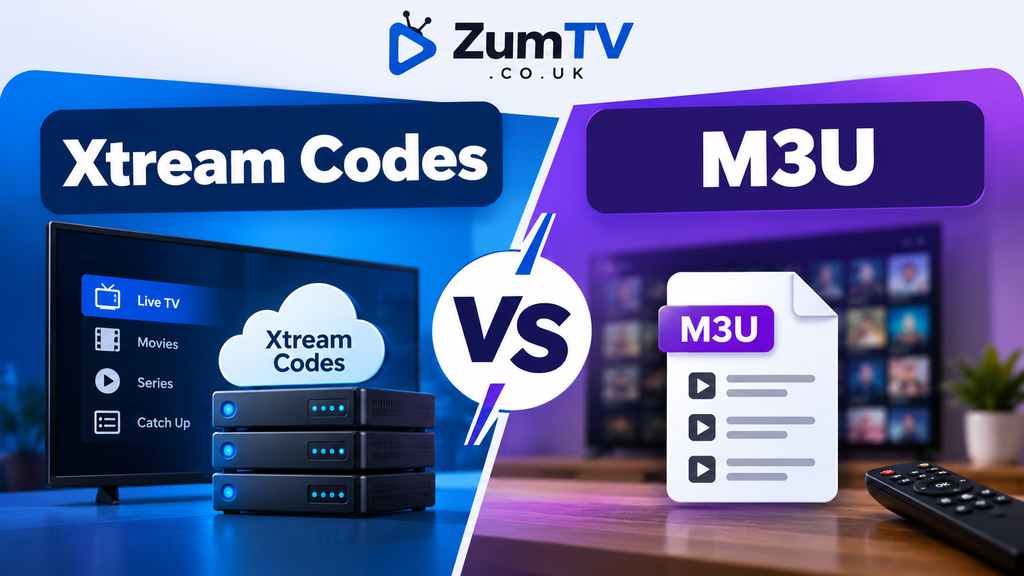
- Xtream Codes uses a server URL, username, and password. M3U is a single playlist link or file.
- Xtream Codes loads live TV, EPG, films, series and catch-up automatically. M3U usually covers live channels only.
- The TV guide needs a separate EPG link with M3U. Xtream Codes loads it inside the app without any extra setup.
- Both sides of the Xtream Codes vs M3U divide connect to the same subscription. Most providers can give you both login types on request.
- Use Xtream Codes on dedicated IPTV apps like TiviMate and IPTV Smarters. Use M3U on VLC or any basic media player.
- Keep your login credentials private regardless of which side of the Xtream Codes vs M3U choice you land on. Sharing them lets others use your subscription and knock you off mid-stream.
Your IPTV provider sends your login, you open the app, and it asks a question you weren’t expecting. The Xtream Codes vs M3U choice hits new users right at setup: Xtream Codes, M3U, or something called Stalker. Pick the wrong one and you get an error. Or channels load but there is no TV guide anywhere.
This guide breaks down Xtream Codes vs M3U in plain terms. By the end you will know which format you have, which one to pick for your app, and what to do when things go wrong.
Quick answer: Use Xtream Codes whenever your provider offers it. It is a login made of a server address, username and password, and it loads live channels, the TV guide, films, series and catch-up in one place. M3U is a single playlist link. It works in more apps but often loads live channels only, and you may need to add the TV guide separately. For most households on a Fire Stick or Android box, Xtream Codes vs M3U is not a close call.
How to Tell Which Login You Have Been Sent
The Xtream Codes vs M3U question is usually answered by looking at what your provider sent. The format makes it obvious at a glance.
| What you received | Login type |
|---|---|
| A server URL (often with a port such as :8080), a username and a password | Xtream Codes |
| One long web link containing get.php in the address | M3U URL |
| A file ending in .m3u or .m3u8 | M3U file |
| A portal address and a request for your device MAC address | Stalker / MAC portal |
Many providers send both Xtream and M3U details in the same message. If you only received one type, ask support for the other. It is the same subscription underneath, and switching between formats costs nothing.
What Is Xtream Codes?
In the Xtream Codes vs M3U debate, Xtream Codes is the API-based option. It started as panel software that IPTV providers used to manage their services. The original company was shut down in 2019 following an investigation by Italian authorities. The login format it created became the industry standard, and almost every IPTV player still supports it today.
When you log in with Xtream Codes, the app connects to the provider’s server through an API. Instead of downloading one big list, it requests categories, channels, programme guide data, the film library and series content each in a structured format. That is where the Xtream Codes vs M3U difference becomes practical: the API lets dedicated apps show posters, episode lists, catch-up icons and your account expiry date, all inside the app without any extra steps.
Three practical advantages make Xtream Codes the preferred choice for most UK IPTV users. In the Xtream Codes vs M3U comparison, the Xtream Codes advantages are clear. The TV guide loads automatically. Films and series appear organised by category rather than buried in a flat list of thousands of entries. That is the Xtream Codes vs M3U gap in practice. And your account information, including simultaneous connections and expiry date, is visible in-app without contacting your provider.
What Is an M3U Playlist?
M3U is a much older, simpler format. It is essentially a text file. Each line carries a channel name, an optional logo, a group label and the stream address. Media players read the list from top to bottom and play whatever stream you select.
The format has genuine advantages. Almost every media player can open one, including VLC on a laptop, a smart TV browser, or an older Android box. It is easy to save as a backup. Some users download their M3U file and remove channels they do not watch, which keeps the list manageable.
The weakness is that a playlist is only a list. It carries no TV guide on its own. Most apps need a separate EPG URL to display programme information alongside M3U channels, and you will need to ask your provider for that link. Large film and series libraries also come through poorly because everything appears in one flat list rather than a browsable catalogue with artwork.
For casual viewing on a laptop, or on a device where no dedicated IPTV app exists, M3U is often the most practical option. On the Xtream Codes vs M3U scale, M3U sits at the simpler end. For a full TV-style experience on a Fire Stick or Android TV box, Xtream Codes handles things better in almost every case.
Xtream Codes vs M3U: Side-by-Side Comparison
| Xtream Codes | M3U | |
|---|---|---|
| What you enter | Server URL, username, password | One link or a file |
| Live channels | Yes | Yes |
| TV guide (EPG) | Loads automatically in most apps | Often needs a separate EPG link |
| Films and series | Organised with posters and episode lists | Often a flat list or missing entirely |
| Catch-up | Supported where the provider offers it | Limited or unsupported in many apps |
| Account info (expiry, connections) | Shown inside the app | Not shown |
| App compatibility | Most dedicated IPTV players | Almost every player, including VLC |
| Typing with a TV remote | Three short fields | One very long URL |
The Xtream Codes vs M3U decision comes down to how much the app can pull from your provider and how it organises what you receive. Both formats stream the same content. The difference is visible in the TV guide, the film library and how easy the whole thing is to navigate on a TV screen.
Which IPTV App Works Best With Xtream Codes vs M3U
The app you use shapes which login format makes more sense. Knowing both sides of the setup saves a lot of trial and error.
IPTV Smarters Pro, TiviMate and Perfect Player all treat Xtream Codes as the primary login method. These apps are built around the API format, so you get the full experience: posters, EPG and catch-up in one place. If you are on Android TV, a Fire Stick or an Nvidia Shield, one of these is usually the right setup.
For those who prefer the M3U route in the Xtream Codes vs M3U decision, Kodi with the IPTV Simple Client addon works well with M3U playlists. You add the playlist link and a separate EPG source, and the guide populates after a refresh. It suits people who already use Kodi as a media centre and want IPTV alongside their local library without switching apps.
On the M3U side of the Xtream Codes vs M3U choice, VLC on a Windows or Mac laptop is the simplest option. Open the playlist file, pick a channel, watch. No account setup and no app-specific configuration required.
Apple TV is a different case in the Xtream Codes vs M3U landscape. The App Store has fewer dedicated IPTV apps, but GSE Smart IPTV and Flex IPTV both support Xtream Codes on that platform. Samsung smart TVs and LG TVs sit on the M3U side of the Xtream Codes vs M3U split, typically using apps like Smart IPTV or SS IPTV, installed from the TV’s own app store.
Where Stalker Portals Fit In
A Stalker portal is a third login method that some providers still offer. Instead of a URL and credentials, it uses a MAC address tied to your device. You enter a portal address in the app settings, and the app sends your device’s MAC address to authenticate. The provider’s server checks whether that address is registered and grants access.
Stalker portals were common on MAG boxes and older Android devices. They are less widely used now because MAC-based authentication is harder to manage at scale, and many apps have removed support for the format. If your provider offers Stalker alongside Xtream Codes, use Xtream Codes. It is more reliable, works across more devices and gives you account visibility without calling support.
How to Convert Between Xtream Codes and M3U
In the Xtream Codes vs M3U debate, some situations call for switching between formats. If you have Xtream Codes details but need an M3U link for a specific app, your provider’s server can usually generate one from the same account. The URL follows a standard structure based on your server address and credentials, with the output type set to m3u8 or ts depending on the app you are using.
Do not guess at the URL structure. Some providers block direct M3U access to prevent account sharing. If a link you build does not work, ask your provider directly for the correct M3U URL. They can generate it within minutes, which saves a lot of troubleshooting time compared to guessing at path formats.
Going the other direction, from M3U to Xtream Codes, is only possible if the provider manages the service on an Xtream Codes panel. Ask them for the server URL and login credentials. Not every M3U subscription includes this, but it is worth asking if you want a richer in-app experience.
Common Login Errors and What They Mean
Three errors come up again and again when people work out the Xtream Codes vs M3U setup for the first time. Knowing what each one means saves a lot of troubleshooting time.
“Invalid username or password” is the most common. Almost always it is a typo, a stray capital letter or a trailing space picked up during copy-paste. Login details copied from WhatsApp often include an invisible character at the end. Type the credentials in by hand rather than pasting, and check that the server URL starts with http:// or https:// as your provider specifies.
“Server not responding” or “Unable to connect” usually means the URL is wrong, the port is missing, or the server is temporarily down. Confirm that the address includes any port number your provider gave you. Also check whether the server uses http or https. They are not interchangeable, and the wrong protocol gives a connection error every single time.
“Channels load but there is no TV guide” is almost always an M3U issue and one of the clearest practical Xtream Codes vs M3U differences. The playlist carries no EPG data by itself. You need a separate EPG URL from your provider. In most apps this goes into the guide source or EPG URL field in settings. Once entered and the app refreshes, the programme information appears alongside your channels.
Keep Your IPTV Login Details Private
Your IPTV login details are worth protecting whether you use Xtream Codes vs M3U or a Stalker portal. A shared URL or a screenshot of your credentials is all someone needs to use your subscription from another location. Most providers cap simultaneous connections, so an unauthorised user on your account can cut your stream mid-programme.
Do not post your server URL or login credentials in forums, WhatsApp groups or social media. Share the error message instead of the actual details. If your login has been compromised, contact your provider and ask for a credential reset. Most providers can do this quickly. Your Xtream Codes vs M3U login type does not affect this process. Most can do this without affecting your package or subscription length.
Before choosing a provider, it is also worth checking our guide on the best IPTV providers in the UK, which covers reliability, support quality and connection limits across the services that are actually worth using in 2026.
For most IPTV users, the Xtream Codes vs M3U choice comes down to the app you use and the content you want access to. The Xtream Codes vs M3U split is not complicated once you know what each one delivers. Start with Xtream Codes if your provider offers it. Fall back to M3U when you need a simple playlist for a basic player. Both work, but one works better.